[WIP] noobish nooby noob. need help.
Printed From: Pixel Joint
Category: Pixel Art
Forum Name: WIP (Work In Progress)
Forum Discription: Get crits and comments on your pixel WIPs and other art too!
URL: https://pixeljoint.com/forum/forum_posts.asp?TID=10668
Printed Date: 26 February 2026 at 8:36pm
Topic: [WIP] noobish nooby noob. need help.
Posted By: mashimi
Subject: [WIP] noobish nooby noob. need help.
Date Posted: 18 July 2010 at 2:42am
here are a few of my things sorry, there really bad! but you have to start somewhere. just some positive / constructive feedback please :) 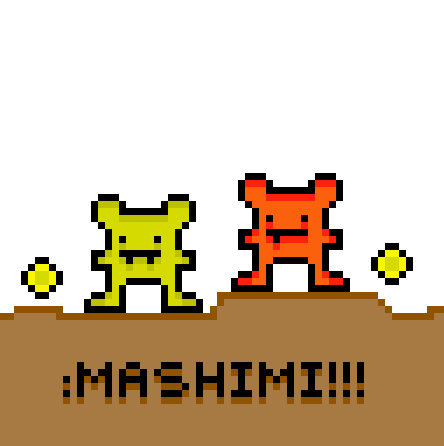 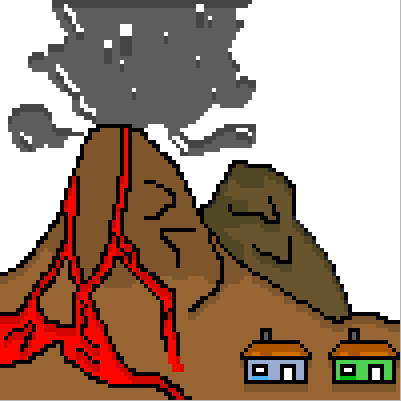 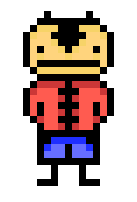   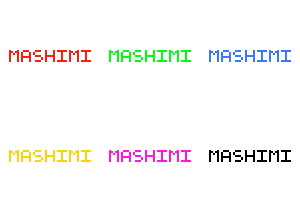 |
Replies:
Posted By: Ravagence
Date Posted: 18 July 2010 at 11:13am
| You should try using smaller pixels.......Or maybe not....just keep practicing :D |
Posted By: Adcrusher
Date Posted: 18 July 2010 at 11:30am
yeah don't resize the image. We can just click on it and it makes it bigger. I thought your volcano peice was the most interesting, so I just played around with it. I might as well post it here, it could help. It's very sloppy though. you should add more chaos, makes it more interesting. Also, I wouldn't use black lines, it makes everything look cartoony. You might want to practice traditional art like drawing and painting. Your pixel art is a lot better when you are decent at traditional art. |
Posted By: PixelSnader
Date Posted: 18 July 2010 at 12:09pm
|
They're not 'really bad'. You've got a decent amount of colors per image, and fairly clean lines.
You should try to use proper shading though, and you should never save pixelart as a jpg. ------------- ▄▄█ ▄▄█ ▄█▄ ▄█▄ |
Posted By: onek
Date Posted: 18 July 2010 at 1:19pm
|
if ur upscaling stuff, make sure u use even numbers... otherwise u cant really scale it down again (i.e. up: 300% -> down 33,3333333......% - doesnt work....)
anyway... look up tutorials on pixelart...there are lot around.. also practice traditional art.. especially shading.. now ur pretty much just putting darker pixel underneath the inner outlines... its not as simpel as that. many beginners think theres some kind of formula for shading, like what ur doing or more commonly 'pillowshading'... proper shading is somewhat like sculpting light, feel the object, feel the shapes with ur eyes what ur doing is not at all an 'organic' way of shading its just increasing the blocky feel keep practicing... heres a take for fun on the 'mashimi!!!' piece, using the lovely NES palette...kinda inspired by this weeks challenge ^^.. maybe its of some help (remember u can enlarge the pic by just clickin on it...ALT+ click makes it small again (at least with my browser....) 
|
Posted By: mashimi
Date Posted: 18 July 2010 at 11:22pm
| wow! thank you for the reply's and also thanks to Adcrusher and Onek for doing those pieces again :) how can i use the NES pallet it looks awesome. i have Pixen for MAC OS X by the way |
Posted By: onek
Date Posted: 19 July 2010 at 2:41am
|
just search google....
here it is anyway ...... 
|
Posted By: Poetic_Alias
Date Posted: 19 July 2010 at 5:59pm
| You kind of have your shading in a sort of reverse. Like the coloured parts are indentations or depressions in a flat surface. Normally, the darker shades go near the bottom while lighter shades go near the top. |
Posted By: mashimi
Date Posted: 20 July 2010 at 12:35am
|
thanks ^ |
Posted By: mashimi
Date Posted: 21 July 2010 at 2:56am
Heres a new one with a bit better shading, more stuff, smaller pixels and its a PNG file. The russian writting at the bottom is just to practice my pixel writing.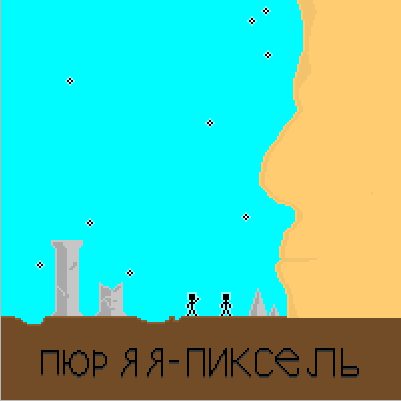
|
Posted By: mashimi
Date Posted: 21 July 2010 at 3:24pm
ninja |