[Soldier in desert]
Printed From: Pixel Joint
Category: Pixel Art
Forum Name: WIP (Work In Progress)
Forum Discription: Get crits and comments on your pixel WIPs and other art too!
URL: https://pixeljoint.com/forum/forum_posts.asp?TID=12467
Printed Date: 26 February 2026 at 7:27pm
Topic: [Soldier in desert]
Posted By: Geoglatico
Subject: [Soldier in desert]
Date Posted: 05 July 2011 at 6:07pm
 is a soldier who is alone in the desert ! is a soldier who is alone in the desert !
Help me finish ? D: |
Replies:
Posted By: cure
Date Posted: 05 July 2011 at 6:23pm
|
where is the light source? the bottom half is in daytime colors, but the upper half shows it's night |
Posted By: tanuki
Date Posted: 05 July 2011 at 7:51pm
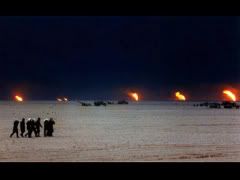
I thought it was supposed to be like an oil fire making a smokey background, like this-
|
Posted By: Geoglatico
Date Posted: 05 July 2011 at 8:52pm
thanks for the comments and tips, I am trying to improve the Pixel art :

|
Posted By: Delicious
Date Posted: 05 July 2011 at 10:07pm
| Looks much better. The moon is quite nice. If that's a bullet, perhaps rid of it or add flash from the gun? Also you can mix both the color of the sand and the dark background together to create a good color for what can be used as background sand hills to give the piece more debth. Keep it up! |
Posted By: Geoglatico
Date Posted: 06 July 2011 at 9:00pm
I think pixel art was too "empty" so I decided to shoot the soldier.

|
Posted By: Friend
Date Posted: 07 July 2011 at 12:11am
| I think you should texture the ground more :) |
Posted By: gnodab2
Date Posted: 07 July 2011 at 4:20am
| I think there must be more light in this picture. More light straight from the moon (blue light). this means more shadows on the ground too. |
Posted By: Juniorps
Date Posted: 07 July 2011 at 8:56am
| Do not you think that the bursting of the bullet should illuminate the ground too? From what I see only lights the soldier. |
Posted By: Geoglatico
Date Posted: 07 July 2011 at 3:04pm
I made it smaller and decreases the colors, because I want him to be in CHALLENGE: Alone
 
|
Posted By: onek
Date Posted: 07 July 2011 at 4:28pm
|
the composition is really boring now...
the way u cropped it makes it look very cramped also it looks flat.. create more depth, i.e. by adding more dunes further away in the backgound (like delicious suggested...) heres a quick edit ... i thought could be cool to add a little animation too... 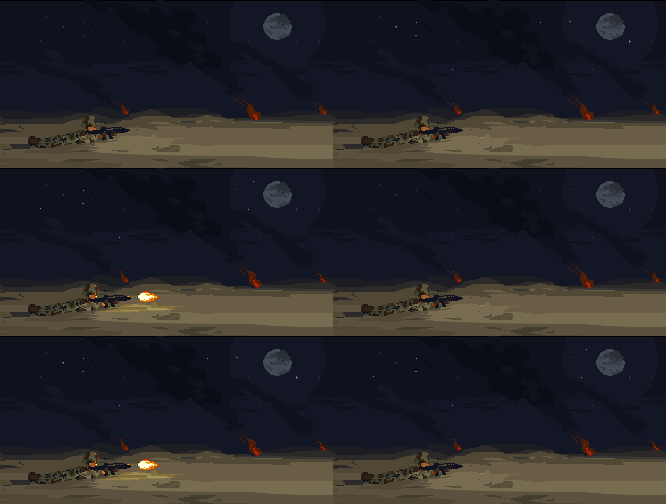
|
Posted By: Geoglatico
Date Posted: 07 July 2011 at 4:36pm
| ooh, I really like your editing, I will try to improve it, and use your tips, I'll make an animation as well, thanks. |
Posted By: Geoglatico
Date Posted: 07 July 2011 at 6:28pm
look, I done now with color and excitement!

|
Posted By: Geoglatico
Date Posted: 07 July 2011 at 6:55pm
I decided to do the explosion just "blinking" and not as it had done before, I think I finished the pixel art;D

|
Posted By: Geoglatico
Date Posted: 07 July 2011 at 7:34pm
I changed one little thing is when he shoots, he goes back and not forward.

|
Posted By: onek
Date Posted: 08 July 2011 at 1:57am
| i think u should really do an reflection of the fire on the ground |
Posted By: Juniorps
Date Posted: 08 July 2011 at 5:34am
| More what I still do not understand is that if he is alone because he is shooting? Is he crazy? |
Posted By: Geoglatico
Date Posted: 08 July 2011 at 9:49am
| Onek, is because they only need 17 colors, otherwise I would use a different color, and Junior is for promotion alone! |
Posted By: Juniorps
Date Posted: 08 July 2011 at 11:59am
| Do not look for more colors, you can use the reflection color of clothes on the floor, try to find a tone color that will match, try to do what their colors will be kept to a minimum. |
Posted By: onek
Date Posted: 08 July 2011 at 12:51pm
| exactly |
Posted By: Geoglatico
Date Posted: 08 July 2011 at 3:35pm
ready decreases the moon and put the reflection on the floor; D

|
Posted By: Juniorps
Date Posted: 08 July 2011 at 3:49pm
| Good, now do some sand mountains beyond, make a AA stars and the moon and a little dot the sand that will stay cool! |
Posted By: shampoop
Date Posted: 08 July 2011 at 3:50pm
| How many frames are you using? Maybe you could add some more animation like some fast moving clouds or bullets flying through the air. |
Posted By: Juniorps
Date Posted: 08 July 2011 at 4:10pm
Something like this perhaps

|
Posted By: Geoglatico
Date Posted: 08 July 2011 at 4:25pm
| I used 17 frames to shoot fast and then stop a little, but I'll do more animation! |
Posted By: Geoglatico
Date Posted: 08 July 2011 at 8:38pm
ready made the bullets, what do you think? help me!

|
Posted By: Geoglatico
Date Posted: 09 July 2011 at 8:26pm
I finished ready, this latest issue I changed the sand, shadows and more bullets falling I just have to say thanks to those who helped me: 3

FINISH |
Posted By: jeremy
Date Posted: 09 July 2011 at 9:14pm
|
Why not have some casings already on the ground so that it loops? His shadow, especially by the feet/legs is a bit too light, and I reckon the muzzle flash is too big. Lots of improvement so far, keep it up :) |