WIP Gameboy palette - Game mock up
Printed From: Pixel Joint
Category: Pixel Art
Forum Name: WIP (Work In Progress)
Forum Discription: Get crits and comments on your pixel WIPs and other art too!
URL: https://pixeljoint.com/forum/forum_posts.asp?TID=13824
Printed Date: 09 June 2026 at 3:10am
Topic: WIP Gameboy palette - Game mock up
Posted By: HeatPhoenix
Subject: WIP Gameboy palette - Game mock up
Date Posted: 09 February 2012 at 1:37pm
Mock-up of a potential as of yet unnamed game development project (thinking of "Ex-Caliber")

I was hoping for some good critique to improve my spriting skills. I've yet to learn how to use AA properly (on sprites) although I've tried to apply it to the explosion at the bottom. Any C&C is appreciated, thanks! PS. This palette is indeed from the weekly competition of a long time past! |
Replies:
Posted By: Mngwa
Date Posted: 09 February 2012 at 4:33pm
| It would be nice if you did something with background, those mountains look odd and clouds on sky are almost invisible. Background just seems too dull to me, but I don't know how are you limited with chosen palette. . |
Posted By: HeatPhoenix
Date Posted: 09 February 2012 at 4:40pm
| Those mountains were a bit of an experiment with dithering, I definitely wouldn't mind improving them. And I'd do more with the background but I don't want to overdo it, any suggestions? |
Posted By: Mngwa
Date Posted: 09 February 2012 at 5:29pm
| Why not try to fill space between clouds with dithering made of the second lightest colour? |
Posted By: HeatPhoenix
Date Posted: 10 February 2012 at 4:52am
Update!

Added the suggested dithering and thickened the cloud shapes to make them more obvious in light of the new dithering. Thanks for the CC Mngwa! |
Posted By: Mngwa
Date Posted: 11 February 2012 at 1:16am
|
No problem. What is CC? I am kind of new here. PS: Maybe you could look at my picture and tell me what do you think, it is posted in topic "Ink lizard" near your one |
Posted By: HeatPhoenix
Date Posted: 11 February 2012 at 10:47am
| "Constructive Criticism". Not just saying that it's "bad", but being polite and honest with your opinion and what can be improved upon. |
Posted By: crozier
Date Posted: 11 February 2012 at 1:00pm
|
Well the first thing I see is the clashing styles. The BG, black outlines, clouds, #2, and explosion are all in slightly different styles. The next thing I see is the floor. The change from white to black is not attractive, and it is not staying true to the light source. And how is the bullet larger then the muzzle of the gun? (place where the bullet comes out of)  Heres a little edit, attempting to make 1 dominant style. And also the wings on the character look a little screwy. I didn't work on the right side (bird/explosion), but you should get my idea.
|
Posted By: HeatPhoenix
Date Posted: 11 February 2012 at 6:06pm
Update:

First of all, Crozier, thanks so much for the feedback, I thought long and hard about it. And you made some very good points and also points that I wanted to keep as-is (for example the darker outlines on the Mech) and also things that I really felt you hit in the bullseye, such as the mountains (so true) and that the style clashed at several points. I've tried to remedy it in a way that wasn't copying from your draft as I of course do want to keep it originally even if following your feedback. Other than that, I resized the bullet to something smaller, enlarged the muzzle by the tiniest bit and tried to make the shading on the mecha bird more detailed as to fit in with the Mech. Long story short; I did my best, what do you guys think? PS: I completely forgot to edit the wings, will do in the next revision. I also left in the the boosters in my version as I felt those were crucial to conveying the design in the mech. |
Posted By: Vegard
Date Posted: 12 February 2012 at 2:10am
|
Hi, In order to give the clouds a bit more volume, you could try to change the edges to look a bit more like this:  I don't mean that you should shade the clouds (and certainly not add any more colours!), but you could make the border sometimes penetrate into the "body" of the cloud instead of making it a pure outline. It should be very little so as not to draw the eye too much and confuse the player, but I think it would really help the aesthetics of the clouds. As for the mountains, the new ones are a hundred times better than your first ones, but they are still not perfect. The shading gives the impression that they are smooth and round; the light source seems to be right above the tops and very close. A typical way of shading mountains is to make one side bright and one side dark. For example: 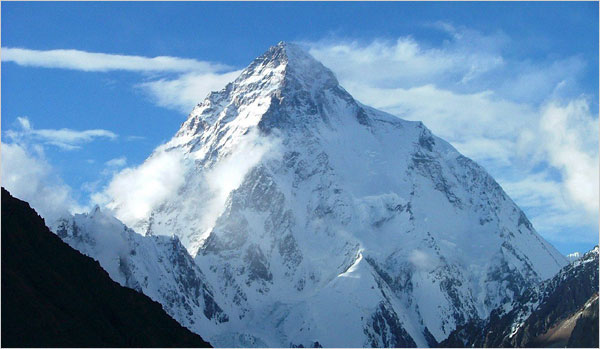 Google image search is a very good way to find references for how things look (rather than how we THINK things look). And drawing while looking at a reference is usually a lot easier than drawing purely by imagination. I hope this helps. |
Posted By: Vegard
Date Posted: 12 February 2012 at 3:05am
Here's a quick edit I made to show what I meant: I modified the clouds and the middle mountain (you should be able to see how I used the reference pictures that I posted). Now, whether this is a style you want to use or not is of course entirely up to you... |
Posted By: HeatPhoenix
Date Posted: 12 February 2012 at 9:54am
Hey, Vegard,

first off, thanks for the fantastic feedback. Alright, the clouds, I followed your advice, they look much fluffier now and much more vivid, that definitely worked out. And then the mountains, what can I say about the mountains... After seeing your rendition and the reference, I established that mine were absolute crap and as such I did away with them and started all over. But instead of drawing from mind, I formed mountains based on the reference and your version. The only thing that was off is that the light source comes from the top right, not the left, so the dark side would have to be the other side, other than that, your mountain was an eye-opener. To answer your question, it really helped! Thank you. PS: I modified the wings in response to Crozier, the front one is a bit thinner and the back one had it's angle changed (almost invisible). |
Posted By: Mngwa
Date Posted: 13 February 2012 at 8:39am
|
These new mountains look MUCH better than the first one. |
Posted By: HeatPhoenix
Date Posted: 16 February 2012 at 2:03pm
Update:

I went ahead and made a title screen, would love input/feedback on that. Thanks to everyone so far. |
Posted By: Mngwa
Date Posted: 17 February 2012 at 8:04am
Hello, that planet looked odd to me, why is the shadow much darker than the rest of space? The planet has some funny surfaces too, maybe it would be good to find some reference, something like this. It quite fits your palette too. |
Posted By: HeatPhoenix
Date Posted: 17 February 2012 at 8:34am
Ah, thanks Mngwa

I forgot to embed my reference on the planet that is supposed to resemble Earth, with Africa/Madagascar and a bit of Europe in our view. Should I make the rest of space darker or the planet lighter? Edit: I have no idea how to resize images with BBCode, and the reference is gigantic. |
Posted By: Mngwa
Date Posted: 17 February 2012 at 8:48am
I tried to make picture with that jupiter reference It is rough, but I still think that is the right way. Anyway, either way you choose, you shoud repair that shadow. |
Posted By: HeatPhoenix
Date Posted: 17 February 2012 at 4:35pm
Update:

First off, thanks Mngwa, for your continued feedback, appreciate it. Secondly, I decided to stick with Earth, your Jupiter is looking exceptionally nice but I really wanted Earth to be the backdrop as it is related to the "story" (as far as a mock-up can have one). So that brings us to this, I think the Earth definitely looks better now and leaving all options open I ask everyone which one looks better? 1, 2, 3 or 4 (from top left to bottom right)? |
Posted By: crozier
Date Posted: 17 February 2012 at 5:39pm
| Perhaps go with a more dynamic pose for the character? |
Posted By: Mngwa
Date Posted: 17 February 2012 at 10:39pm
|
I think I like that upper right one best but earth could use more dithering - those clouds should be more sophisticated. And with that dark one you have possibility to make transparent color from black, add layer and try more colors. Of course only if you have program which allows it. |
Posted By: Trick17
Date Posted: 18 February 2012 at 8:05am
| I can't indentify the character, especially at the title screen. Is this an astronaut with a damaged space suit? |
Posted By: HeatPhoenix
Date Posted: 18 February 2012 at 11:08am
|
Crozier, what kind of pose do you have in mind?
Mngwa, I am using Paint.NET with about 8 layers at a time, so I'll try. Super17, it's supposed to be a mech or something. I don't think space suits made out of leather/plastic can have cracks. Or have beam shields. But if you have suggestions for how I can make him more mech like I'll take 'em. |
Posted By: Skull
Date Posted: 20 February 2012 at 3:46pm
|
I think your title screen needs to take a little from 2 and 3 - it's space, it's black, no question.
I'm having some trouble with your clouds and explosions - they're just not smooth and puffy looking. Vegard had the right sort of idea. ------------- |
Posted By: HeatPhoenix
Date Posted: 20 February 2012 at 8:13pm
Update

Going with black, as Skull aptly notes, the color of space. And so we end up with three choices, mix between 2/3, 2 and 3. At the bottom is my current favorite, 3. I also tried making the clouds and the explosion more puffy/fluffy. I didn't even notice that Vegard had changed the clouds, thank you Skull for alerting me of that. Thanks to all for your feedback, appreciate it. |
Posted By: Bouzolf
Date Posted: 21 February 2012 at 4:48pm
| Can you draw your character on paper or on paint so we can have a better idea of the design? I too find it hard to understand the character. |
Posted By: HeatPhoenix
Date Posted: 23 February 2012 at 12:37pm

Not a fantastic sketch, seems I don't really have a good grip on what I want the character to be myself either. In any case, unless there are any grating errors in my pixel art I think I should submit this to the gallery? |
Posted By: Vegard
Date Posted: 23 February 2012 at 1:23pm
|
Hi again, Sorry for disappearing. I wanted to say I really liked the changes you made! (And you are totally right about the direction of the light on the mountain -- I didn't pay attention to the scene!) In case you are still looking for feedback, here are some points I think could be improved: I heard that dithering makes a surface look like it has a texture. In that case, you should use no dithering for the earth, since the surface of the earth should be as smooth as a sphere from this distance. I'm just curious: Could you try to remove the dithering from the planet? (I liked both versions, by the way -- with and without the shade. I think I have a tiny preference for the one which is shaded black in the darkest shadow.) In the main game screen, I think you should edit the shield to make it read better. As it is, it looks a little bit deformed and strange, without a clear outline. Maybe it should have a flat colour too? In my personal opinion, the shield could also move a bit more to the right. If you want, you could try to see if it improves anything. The new explosion is a lot better. I still think you could give it more volume, though, maybe in a similar way as you did with the clouds (e.g. by making certain areas appear completely in front of the rest). There is also another issue -- the explosion, as it is, could actually be mistaken for a cloud! I'm not sure how to fix that, though (I'm no artist). Maybe somebody else has a suggestion? I think you did a great job. If you're happy, you should submit it to the gallery. |
Posted By: HeatPhoenix
Date Posted: 24 February 2012 at 6:04pm
|
Vegard, do you mean I shouldn't dither the clouds on the earth or the pieces of land on it or even the shadow?
Most of these are dithering to give the illusion of texture on the piece of land, and the shadow is dithering to make the transition more smooth. |
Posted By: HeatPhoenix
Date Posted: 09 March 2012 at 11:31am
| I've submitted the piece to the gallery, thanks to everyone for their help. |
Posted By: 9_6
Date Posted: 09 March 2012 at 3:22pm
|
Hello.
I'm working on a project that only uses http://www.wayofthepixel.net/pixelation/index.php?topic=13696.0 - 3 colors and is an actual playable game as of now so let me share some insights I've gathered concerning low-color, low-res projects. 
-STOP DITHERING. It is a bad bad bad bad bad bad bad idea to dither at that size. Bad. Stop. What you want is readability. Dithering such small graphics makes things harder to read. Large dithered shapes such as the sky are just noise. Bad. You have 4 colors, you don't need dithering. Place every pixel deliberately because at that size, you do need every single pixel. -Don't break the outline of your sprites. Again, makes things hard to read. It appears you're trying to be clever with selout or anti aliasing the outlines. It doesn't work, it makes your outlines appear jagged and single black pixels floating in the air add noise so don't do it. Instead, try shading the outlines. In this case, keeping the shape dark and only lightening the inner outlines is advisable because it improves the readability. The worst thing to happen is important sprites such as enemies and the player blending with the background which happens real fast with such low color counts. -Backgrounds need to be in the back. You probably shouldn't use black in backgrounds, like, at all. 3 colors is more than enough. it makes the actual gameplay things pop out more. -Don't over-antialias things. What is going on with the 2? Especially vs that dithernoise, you almost dissolved it in AA. |
Posted By: HeatPhoenix
Date Posted: 10 March 2012 at 4:44am
|
First of all, 9_6, thanks for all of the great feedback and the awesome edit. I'd say that looks better than mine already.
On the dithering: A lot of this piece were first-times for me, including dithering, I tried making new colors in the piece to try and have more options when composing the figure. As I had some "colors" in mind when I started, and 4 wasn't enough. On the outlines: I think I agree completely, I was trying to... AA? On a gameboy palette... just now I realize how dumb that sounds. On the backgrounds: Before, I had a dithered background, but as it stands, space is black, right? I mean, I haven't checked how other games do it, but I thought it should be fine for the title screen at least. On the over-AA: 100% correct. I will take all of this feedback and put that into my next gameboy palette image as I really want this one to be just done. It's not that you don't make good points, it's that I think polishing it for 3 weeks is a long enough period to move on to a new piece. |